The print, sign and scan loop
A quote, an authorisation or an enrolment form arrives as a PDF asking for a signature. The usual route is printing it, signing it, scanning or photographing it and sending it back. It's slow, the result often comes out crooked or dark, and it wastes paper that's only needed for this. If the document just needs your signature, you can sort it in a minute on screen.
Your signature is your data too
Most online tools sign on their server: the document goes up, the signature is placed and the file comes back down. That means the document and your signature both pass through someone else's hands. And a signature is almost as sensitive as a password: anyone with a clean copy can paste it onto another document. If you don't want it circulating, the best place to sign is your own device.
Steps to sign a PDF in your browser
- Open the sign PDF tool and choose the document.
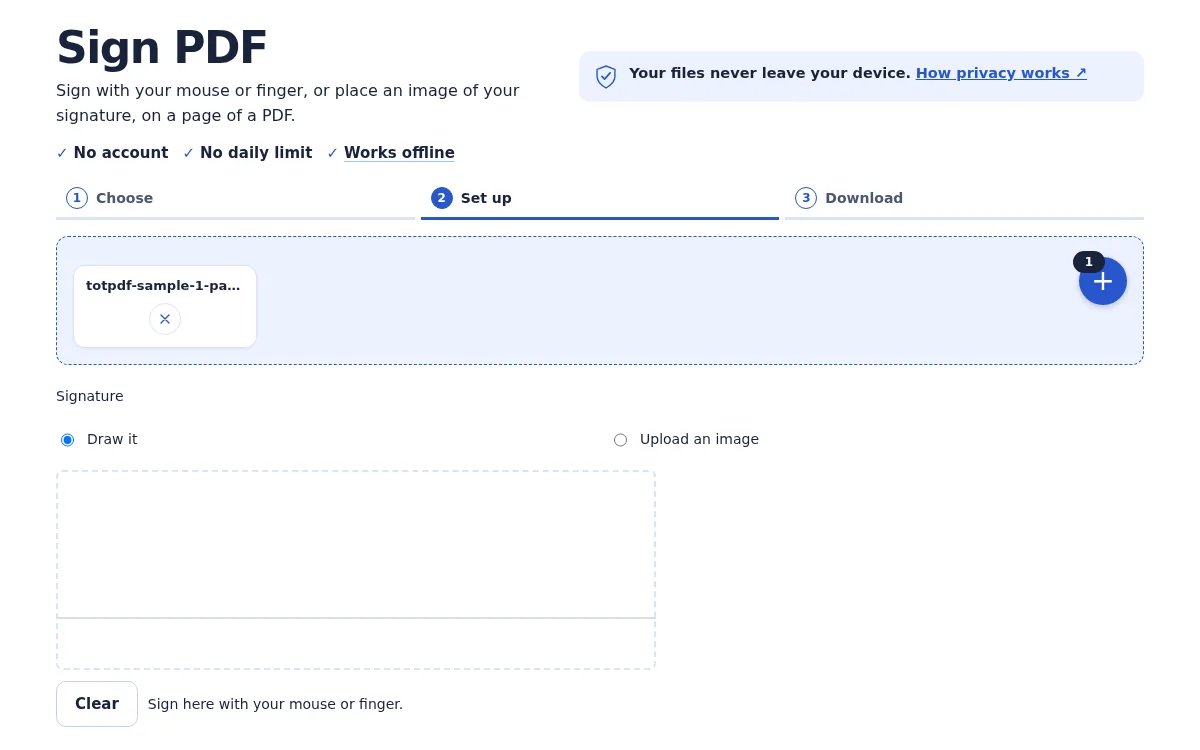
- Draw your signature in the box with a finger, the mouse or a stylus. You can also upload a photo of your signature on white paper.
- Pick the page and drag the signature to the exact spot, adjusting its size.
- Download the signed PDF: it's generated on your device.
Tips for a clean signature
If you use a photo, take it in good light, on a white sheet and with a dark pen: the tool removes the white background so it sits cleanly on the document. On a phone, a finger or a stylus works better than a computer mouse. And if you don't like the first attempt, clear it and start again: there's no limit.
What this signature is, and what it isn't
It's an image signature, the equivalent of the one on paper: fine for quotes, authorisations and everyday enrolment forms. It isn't a certificate-based digital signature and it won't do for procedures that require one. One more thing: once signed, the signature sits inside the PDF as an image and could be copied, so only send the document to whoever should receive it and keep the unsigned original.
At TotPDF nothing leaves your device
TotPDF's tool places the signature onto the PDF inside your browser: neither the document nor the signature is sent anywhere, and no account is needed. You can check it yourself in the browser's Network tab, or by doing it offline once the page has loaded.
Tools
Extract PDF pages · Split PDF · Compress PDF · PDF to images